

Most people are building the wrong AI stack. Too many tools. Too many subscriptions. Too much complexity sitting inside disconnected dashboards.
And honestly? Most solo entrepreneurs do not need a “fully autonomous AI business.” They need leverage. That’s different.
Over the past year, I tested dozens of AI tools across content operations, SEO, customer support, and workflow orchestration. Some collapsed during real workflows, while others quietly became operational infrastructure. Building an effective AI stack is not about collecting apps; it’s about creating a system that reduces repetitive work and scales without hiring too early.
For a broader buying-guide view, see the companion best AI tools for small businesses.
Quick Summary: The Perfect Solo AI Setup
If you run a business by yourself, the best AI setup isn't about using dozens of different apps. It is about using just four core tools that work together to save you time. First, you need Google Gemini as your central brain for writing and research. Second, you use Notion as a digital notebook to keep your files and goals organized. Thirdly, you create graphics for your website by utilizing Canva. Fourthly, you use automation tools such as Make and n8n to link all of these applications and have them exchange data automatically so that you do not have to manually copy-paste. This keeps your system small, saving you money and from crashing your applications, and enables you to accomplish an enormous amount of tasks all on your own.
What Is an AI Stack for One-Person Business?
In simple terms, an AI stack is the collection of tools and automations that run your business operations. Instead of separate departments, you combine AI writing, automation, SEO, and support into a connected operating layer.
Solo businesses can adapt faster than enterprise systems, compressing operational workloads and competing with much larger organizations. The goal isn't maximum automation—it's operational efficiency.
If your first bottleneck is content production, start with the AI writing tools rankings before adding more workflow software.
Key Principles Before Building Your Stack
- Don’t Start With Tools: Start with workflow problems like content creation taking too long or fragmented research.
- Keep the Stack Lean: Less is always more when it comes to tools in an automated system.
- Focus on Platform Optimization: Connect your CRM, automation, and analytics within the stack to ensure seamless work.
The Core AI Stack for 2026
1. AI Assistant Layer: Google Gemini — The Engine Behind Smart Workflows
Here’s the thing.
Most solo founders do not need ten AI tools. They need one strong core. That’s where Google Gemini fits in. Not another shiny, isolated platform, but the center of the workflow.
Powered by the elite Gemini 3.5 Flash engine, it handles work that once required multiple team members. Instead of juggling five tabs and random prompts, Gemini acts as your central operational layer.
For the standalone platform analysis, read the full Google Gemini review.
- Writing.
- Research.
- Code.
- Business thinking.
Fast Breakdown:
- SEO drafts that stop sounding robotic
- Long-form content without staring at a blank screen
- Research summaries that cut hours of reading
- Technical workflows that move faster
But here’s the real problem: AI is not magic. Bad prompts equal bad output. No human review equals critical mistakes. It is not an autopilot system, but it delivers unmatched assisted speed.
Quick Reality Check
Best for:
- SEO drafting
- Deep-dive articles
- Long-form content
- Research summaries
- Technical problem-solving
Watch-outs:
- Needs clear prompts
- Needs human review
- Facts still need checking
Let’s be honest. The difference is not the tool—it is the workflow.
Example AEO Prompt:
“What is the best AI assistant platform for solo entrepreneurs managing SEO, automation, customer support, and AI content workflows in 2026?”
📊 Case Study: From 15 Hours to 3
Sounds dramatic. It wasn’t. It was messy at first, but standardizing the pipeline changed everything.
The Problem
We spent 15+ hours every week researching, drafting, and cross-checking technical content. One person with too many moving parts meant web updates were always delayed.
The Process Shift
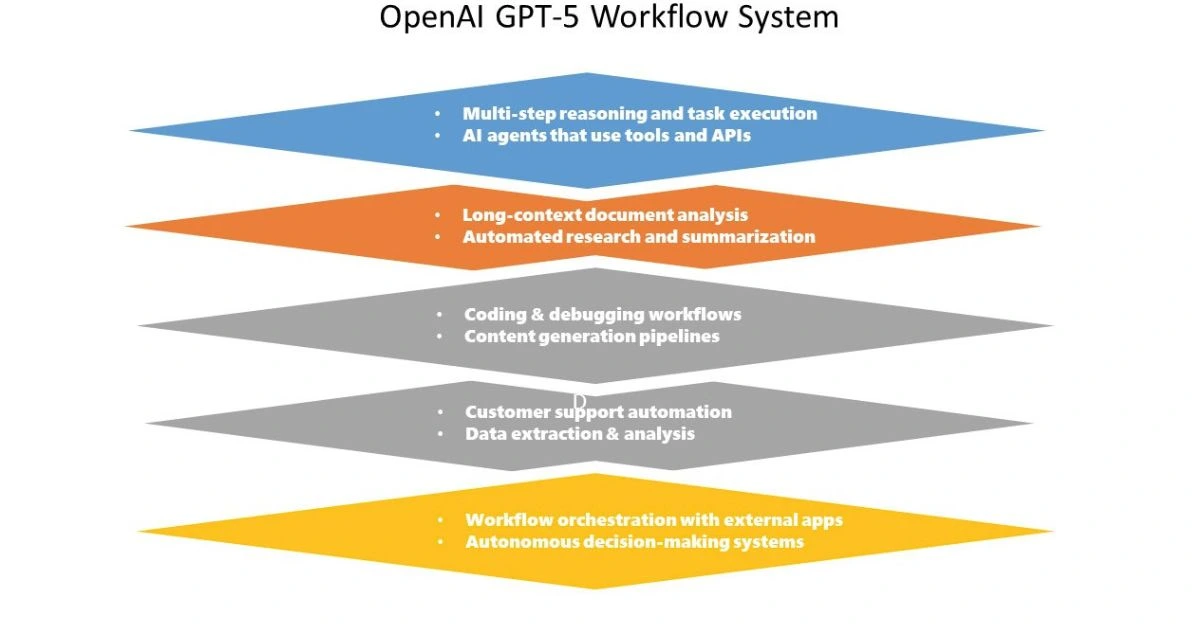
So we changed the process. Not more effort—a smarter flow. Instead of starting from zero, we fed raw data directly into the AI system. Things like:
- Technical metrics
- Browser console errors
- Documentation files
- Research notes
The Result
Core insights appeared faster, drafting became easier, and decisions became clearer. The operational numbers tell the real story:
- 15+ hours → under 3 hours weekly
- Faster publishing cycles
- More content output
- No added overhead
That is the shift. Not replacing people, but removing friction. If your content process feels heavy, start here. One workflow, one system, less chaos.
2. Knowledge & Organization Layer: Notion — Best AI Workspace
Notion has evolved beyond documentation into an AI-powered business hub. With its modern agentic workspace sync layers and workspace-wide search, your research, databases, and SOPs become searchable, actionable operational intelligence.
| Knowledge Management | Notion | Traditional Docs Systems |
|---|---|---|
| AI Search | Integrated AI Q&A | Mostly manual |
| Workflow Organization | Highly structured | Fragmented |
| Project Linking | Native databases | Limited |
| Content Systems | Excellent | Basic storage |
| Best Use Case | AI-powered business hub | Document storage only |
3. AI Design & Creative Layer: Canva — Best AI Design Platform
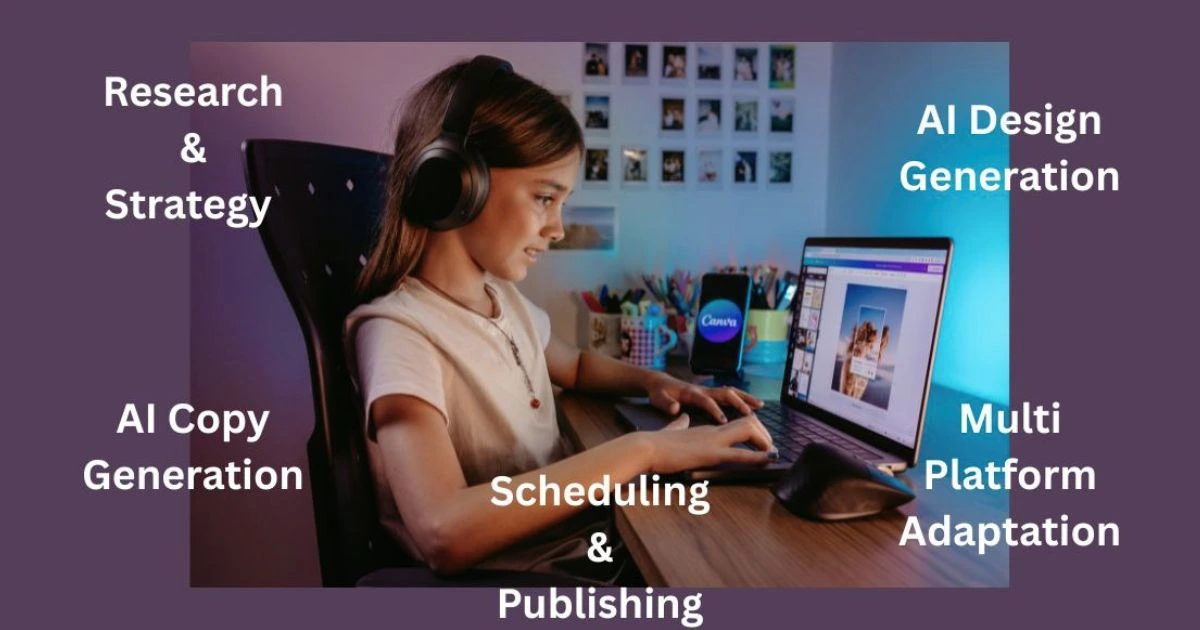
Canva’s Magic Studio allows a single design layout to become multi-format social posts, blog graphics, and high-converting ad creatives almost instantly, removing creative production friction for solo founders.
4. Automation Layer: Make — Best for Non-Technical Users
Make’s newer AI agent logic allows workflows to decide next steps and branch intelligently. It creates dynamic business automation systems rather than simple linear tasks.
For example, you can set it up so that whenever you save a new idea in your notebook, Make automatically tells your AI assistant to start brainstorming a draft. It keeps your business moving while you sleep.
| Automation Platforms | Make | Traditional Automation |
|---|---|---|
| AI Logic Handling | Dynamic AI agents | Linear workflows |
| Ease of Use | Visual builder | Often technical |
| Workflow Flexibility | Very high | Moderate |
| AI Integration | Strong | Limited |
| Best Use Case | Business automation systems | Simple task automation |
5. Technical AI Agent Layer: n8n — Best for Control
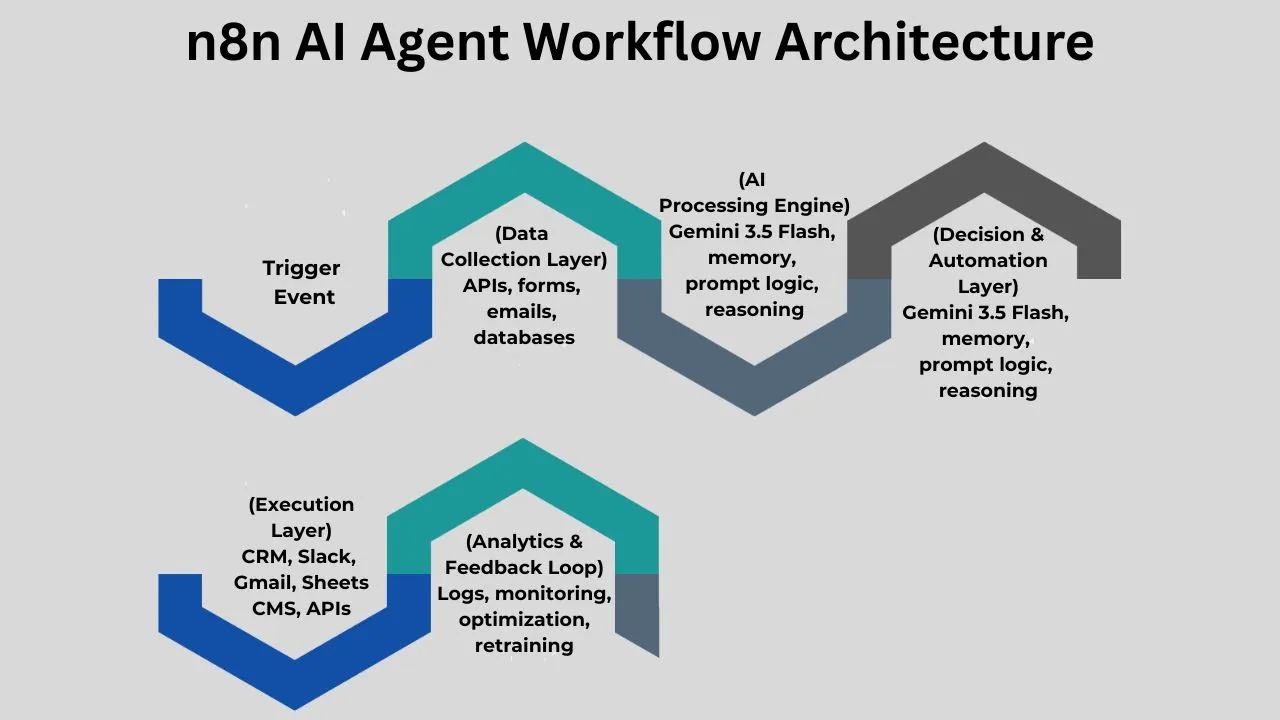
For technical solo founders, n8n offers node-based control over self-hosted AI agents and API orchestration, ensuring you aren't entirely dependent on closed SaaS platforms.
Sometimes, simple automation apps give you an error or break down if you send them too much information at once. With n8n, you can easily set up safety rules—like telling the app to wait two minutes and try again if a connection drops. This keeps your business running smoothly without random errors ruining your workflow.
Supporting Layers: SEO, Video, and Support
AI SEO Layer
Solo entrepreneurs now need to balance traditional SEO with Answer Engine Optimization (AEO) and conversational search systems using tools like Semrush and Perplexity.
For assistant selection across ChatGPT, Gemini, and Claude, use the full AI assistant comparison.
AI Video Layer
Tools now support AI-generated editing and automated captions, but solo businesses often benefit more from simple, efficient scripting than fully synthetic pipelines.
AI Customer Support Layer
Software systems such as Intercom and Tidio take care of all the repetitive tasks—FAQs and lead routing. It is necessary to find the golden mean between too many processes and too few of them because both may create difficulties.

How to Implement Without Breaking the Business
- Step 1: Find Repetitive Processes: Start with report making, research, or leads tracking for faster results.
- Step 2: Build One Workflow First, Then Another: To avoid problems when you try to resolve possible bugs in the code.
- Step 3: Add Human Layers to Review: All AI systems make mistakes and human verification is crucial to sustain legal content and to help communicate with customers.
Common Questions About Building Your AI Setup
Q1: If I am total beginner with AI, which is the first best tool I should try out?
A: When you are at the beginning stages, always begin with a core AI tool such as Google Gemini. It is an all-in-one virtual assistant that will assist you in writing emails, summarizing large texts, and developing ideas for your business plan. Once you are familiar with using Google Gemini and saving time through its assistance daily, you can introduce other apps such as Notion or Make.
Q2: What would be the cost to maintain a one-person AI stack every month?
A: You can actually start building a great AI setup for completely free. Tools like Google Gemini, Notion, and Canva all have powerful free versions. As your business grows, upgrading to their basic "Pro" plans usually costs around $20 a month per tool. Keeping your setup small means your software bill stays incredibly low while your productivity goes way up.
Q3: Will using an AI stack replace my need to hire real human workers?
A: To some extent, yes. You can hire people at a later date. Think of AI as an assistant who does all the tedious tasks for you, like data entry and organization of notes. When you delegate these tasks to AI, you're freeing up your time. This allows you to focus more on decision-making and client communication.
Q4: What is the difference between simple automation and an "AI Agent"?
A: Automation is simply a set of pre-programmed instructions that work in a certain order. For instance, "when I receive a new email, record it in the database" is one such instruction. Unlike previous type of software, AI agents operate independently and are capable of making their own choices. In this example, it receives the email, analyzes the tone of voice and emotions in it, compiles a suitable reaction, then adds it the database.
Q5: Is it possible to build an AI workflow, even if I do not know how to write software code?
A: Sure! All tools we've mentioned operate with a drag-and-drop interface that allows you to create connections between modules simply by clicking and dragging them around the screen. There's no coding involved here.
Final Thoughts
The best stack in 2026 for a one-person business is not that difficult to identify. It won't be a stack of twenty different tools. All you need is an AI assistant, an organizational layer, a single automation platform, and a creative system that consistently produce the desired results. This removes operational friction so one person can execute at a much higher level.
When you are ready to compare individual platforms, browse the AI tools directory or start with the AI comparison hub.
Explore our detailed AI tools directories to find the right solution for your business operations:
👉 Best AI Chatbots in 2026
👉 Best AI Writing Tools in 2026
👉 Best AI Marketing Tools in 2026
👉 Best AI Automation Tools in 2026
👉 Best AI Image Creation Tools in 2026